Cybersecurity: 24/7/365

Cybersecurity: 24/7/365
4MEDNET delivers managed IT, cybersecurity, HIPAA compliance, and AI automation solutions built exclusively for healthcare practices.



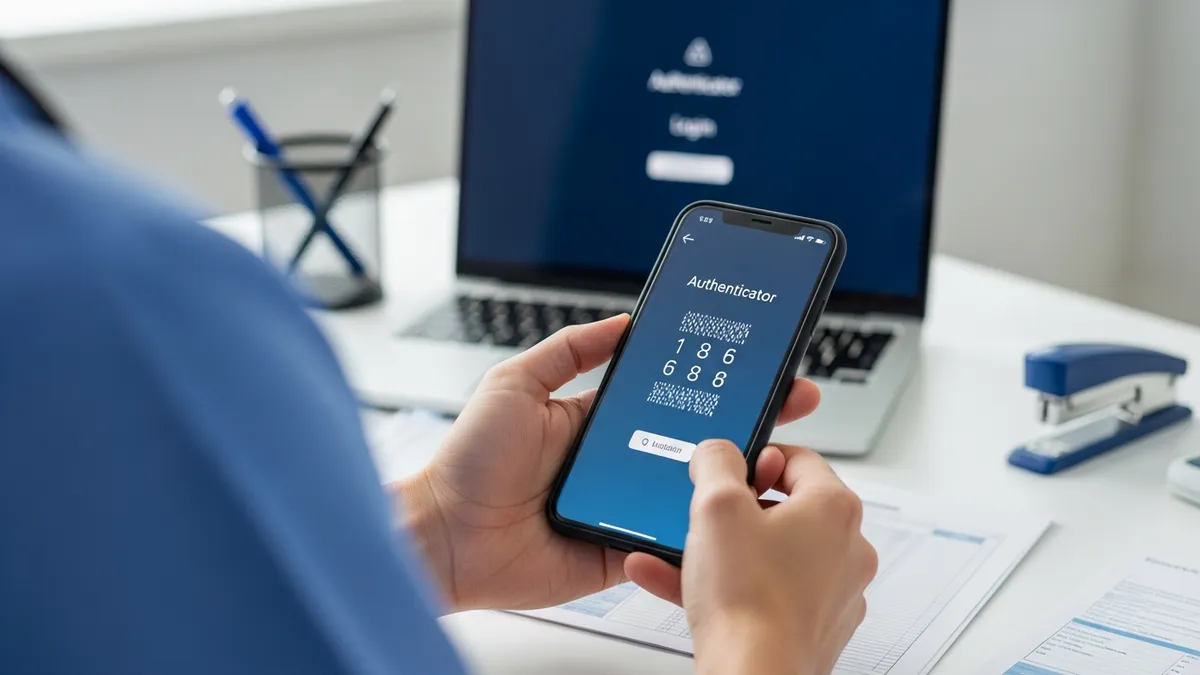
In February 2024, hackers used stolen employee credentials to access a Change Healthcare portal that lacked multi-factor authentication. The result: 192.7 million patient records compromised — the largest healthcare data breach in US history. One missing MFA setting on one system caused billions in damages.
MFA blocks 99.9% of automated credential attacks. It is the single most effective security control you can deploy, and it costs little or nothing for most practices. Yet many small medical offices still haven't implemented it — or have deployed it only partially, leaving gaps that attackers exploit.
This guide walks you through setting up MFA across your practice, from choosing the right method to handling shared workstations and resistant staff.
MFA works best alongside a password manager. One stops reused credentials; the other covers you when a password leaks anyway.
Stolen credentials are the top attack vector in healthcare. The Verizon 2025 Data Breach Investigations Report found that 31% of all breaches involve compromised credentials. In healthcare specifically, 79% of providers were targeted by email-based hacking attacks in 2024. The average healthcare breach costs $7.42 million.
Beyond the security case, MFA now affects two critical business concerns:
Cyber insurance. Every major carrier requires MFA for coverage. In Travelers v. ICS (2022), an insurer rescinded a $1 million policy after a claim revealed MFA covered the firewall only — not everything the application attested. If your application says MFA is deployed but it isn't, your claim gets denied when you need it most. See our cyber insurance buyer's guide for the full picture.
HIPAA compliance. Under the current rule, MFA is "addressable" — meaning you should implement it unless you can document a reasonable alternative. The proposed HIPAA Security Rule update eliminates that distinction. MFA becomes flat-out required on every system that touches ePHI, with a compliance deadline of roughly 180 days after the final rule publishes.
Not all MFA is equal. Here are your options, ranked from weakest to strongest:
SMS text codes (avoid as primary method). A one-time code sent to your phone via text. It works, but it's vulnerable to SIM-swapping attacks where an attacker convinces your carrier to port your number to their SIM card. Cyber insurers flag SMS-only MFA as a concern. Use it only as a backup, never as your sole method.
Authenticator apps (recommended starting point). Microsoft Authenticator, Google Authenticator, or Duo Mobile generate time-based codes on your phone that refresh every 30 seconds. Codes are created locally and never transmitted over a network, so they can't be intercepted like SMS. Free, works offline, and supported by nearly every system your practice uses.
Push notifications (fast and convenient). A login attempt triggers a notification on your phone — tap "Approve" to authenticate. Duo Push and Microsoft Authenticator both support this. It's faster than typing a code. The risk: "MFA fatigue" attacks where hackers flood you with push requests hoping you'll tap approve by accident. Enable number matching (the app shows a number you must confirm) to prevent this.
Hardware security keys (strongest, ideal for admin accounts). A physical USB or NFC device like a YubiKey ($29-$55 each) that generates cryptographic proof of presence. Cannot be phished remotely — an attacker would need the physical key. Use these for practice owners, office managers, and IT admin accounts.
Badge-tap or biometric (best for shared clinical workstations). RFID badge readers or fingerprint scanners attached to shared computers. Staff tap their badge or fingerprint to authenticate in under a second. The session locks when they walk away. Solutions like Imprivata and GateKeeper are built for this exact clinical workflow.
Every system that touches patient data needs MFA. Prioritize in this order:
Week 1 — Email and remote access. These are the most targeted entry points. Microsoft 365 includes MFA free on all plans via Security Defaults. Google Workspace includes 2-Step Verification on all plans. Enable and enforce for all users immediately. Also enable MFA on any VPN or remote desktop access — this is exactly what Change Healthcare missed.
Week 2 — EHR and patient portal. Epic supports TOTP authenticator apps and Duo integration. eClinicalWorks supports Google and Microsoft Authenticator via QR code enrollment. athenahealth supports SMS and authenticator apps. NextGen requires MFA with phone and email verification. Check your vendor's documentation — nearly all modern EHRs support MFA natively.
Week 3 — Billing, cloud storage, and admin accounts. Your RCM system, clearinghouse portals, OneDrive or Google Drive, and any IT admin consoles. Admin accounts are the highest-value targets — they should have the strongest MFA (hardware keys if possible).
Contact your EHR vendor or hosting provider to enable MFA policies. For eClinicalWorks, it's in the admin settings — users scan a QR code with their authenticator app on first login. For Epic, your Community Connect host or hosting provider configures the MFA policy, and users enroll via authenticator app or Duo.
Shared computers in exam rooms, nursing stations, and the front desk are the biggest MFA pain point in clinical settings. Clinicians authenticate dozens of times daily. Typing a six-digit code every time is impractical.
Here are the practical solutions, from simplest to best:
"Remember this device" for the shift. Configure MFA to trust a device for 8-12 hours. Staff authenticate with MFA once at shift start, then use only username and password for the rest of the day on that same machine. Not the most secure option, but a workable starting point.
YubiKey at the workstation. Attach a YubiKey to each shared computer. Users tap the key and enter a short PIN. The key stays at the station. Simpler and cheaper than badge readers — a YubiKey costs $29-$55 one time.
Fingerprint readers. USB fingerprint scanners ($50-$150 each) attached to shared workstations. Each staff member enrolls their fingerprint. Authentication takes less than a second. Cannot be shared, borrowed, or forgotten.
Badge-tap systems. RFID or Bluetooth badge readers that detect your employee badge. Tap plus PIN authenticates you. Walk away and the session locks. Solutions like Imprivata and GateKeeper support roaming EHR sessions — tap your badge at a new workstation and your EHR session follows you from the last one. This is the gold standard for clinical environments.
You will get pushback. Here's how to handle the most common objections:
"It's too slow." Push notifications take one tap — under three seconds. Authenticator codes take under ten seconds. Frame it this way: MFA adds a few seconds per login. A ransomware attack shuts your practice down for days or weeks.
"I forgot my phone." Every user should configure two methods. Backup options: printed backup codes in a locked drawer, a hardware key on a keychain, or a secondary phone number. For Duo, users can receive a phone call as a fallback.
"I'm not tech-savvy." The authenticator app flow takes five minutes to learn. Create a one-page quick-reference card with screenshots. Train two or three "super users" in each department first — they help colleagues through enrollment.
"What if I get locked out?" Designate an MFA admin (office manager or IT contact) who can reset or bypass MFA in emergencies with identity verification. Document the lockout procedure so it doesn't become a fire drill.
MFA is one of the least expensive security controls available:
For a 15-person practice using Microsoft 365 Security Defaults plus two YubiKeys for the practice owner and IT admin, total additional cost is $110 one time and $0 per month. Even with Duo Essentials for everyone plus hardware keys, you're looking at $45/month plus $750 in keys — a fraction of what a single breach would cost.
We deploy and manage MFA across your entire practice — EHR, email, VPN, billing, and cloud services — as part of our managed IT and cybersecurity services.
Managed IT: We handle MFA enrollment, configuration, backup methods, and ongoing user support so your staff doesn't need to troubleshoot authentication issues. We also manage patch management, endpoint protection, and monitoring — the other controls insurers and HIPAA require.
Cybersecurity: MFA is one layer. We add EDR, network segmentation, ransomware protection, and 24/7 threat monitoring to cover the gaps MFA alone can't address.
HIPAA Compliance: We document your MFA deployment as part of your HIPAA risk assessment and produce the evidence your cyber insurer needs during underwriting.
Check our pricing plans — every tier includes MFA deployment, management, and support.
Schedule a free consultation to get MFA deployed across your practice — before the next breach hits or the next insurance renewal arrives.
Ready to take the next step? Explore our healthcare IT services, book a free consultation, or compare our plans.




Managed IT, cybersecurity, HIPAA compliance, and AI automation for healthcare practices. We keep your technology secure so you can focus on patient care.

4MEDNET.COM - Copyright 2026. All rights reserved.