Cybersecurity: 24/7/365

Cybersecurity: 24/7/365
4MEDNET delivers managed IT, cybersecurity, HIPAA compliance, and AI automation solutions built exclusively for healthcare practices.



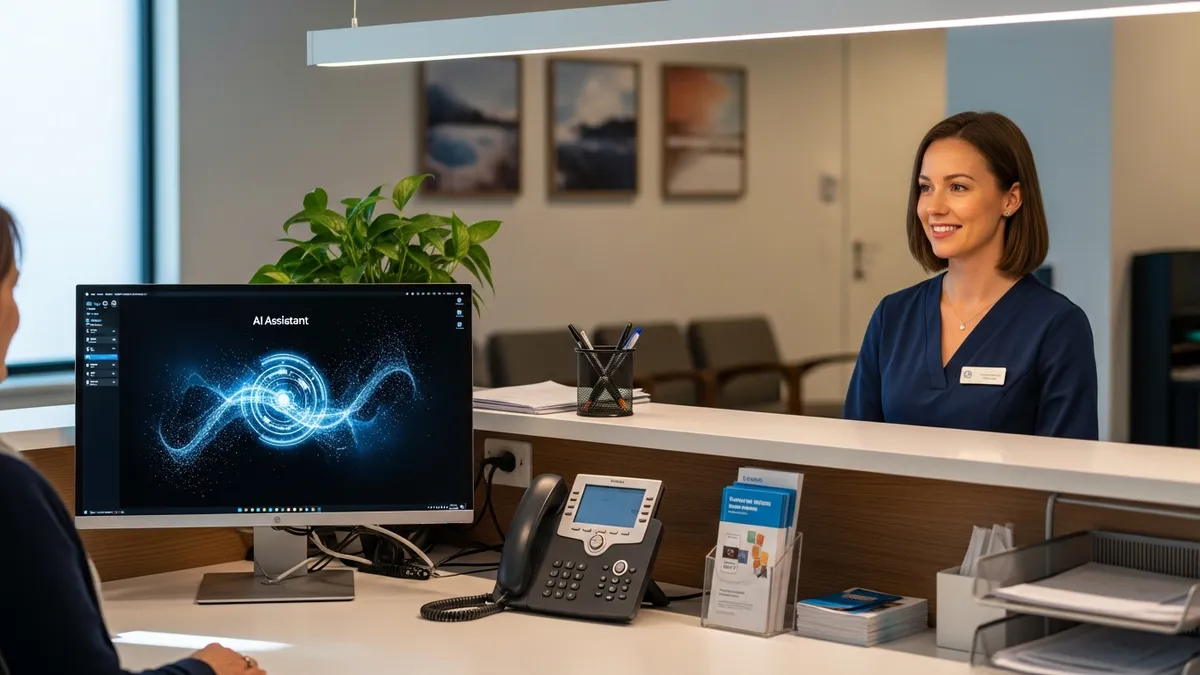
Your front desk staff works 40 hours a week. They spend 34 of those hours on administrative tasks — answering phones, scheduling appointments, verifying insurance, entering data, and chasing down paperwork. That leaves 6 hours for actual patient interaction. And at the end of the day, 42% of incoming calls still went unanswered.
Those missed calls are not just an inconvenience. Each one costs $125-$200 in potential revenue. New patient calls are worth $300-$500. A practice missing 20 calls per day loses roughly $950,000 in annual revenue. And 41% of patients who experience poor phone service switch to a different provider.
AI front desk tools reclaim 20-24 hours per week by automating the repetitive tasks that consume your staff's day. Not by replacing your team — by taking over the work that burns them out and drives 20% annual turnover in front office roles.
A typical front desk team in a small practice spends their week like this:
Total: 32.5 hours on tasks that AI can handle. Here is how each one gets automated.
AI phone systems answer every call instantly. No hold times, no busy signals, no voicemail. The system handles unlimited simultaneous calls — during the morning rush when 38% of daily calls hit in the first and last hours of operation, and during the 41% of calls that come in after hours when no one is there to answer.
Here is what changes:
A study of 7,000 calls across 22 practices found that practices miss 42% of incoming calls during business hours. AI eliminates that entirely. One practice that was missing 20 calls per day recovered 75% of that lost volume after implementing AI phone answering — saving an estimated $713,000 in annual revenue.
AI receptionists cost $50-$750 per month, compared to $3,750-$4,400 per month for a human receptionist (salary plus benefits, taxes, and overhead). That is 85-95% cheaper, with 24/7 availability and zero sick days.
Self-scheduling portals let patients book appointments online in 1 minute instead of calling and waiting 8 minutes. As of 2024, 63% of providers offer self-scheduling — up from 40% in 2022 — and 89% of patients say the ability to schedule anytime with digital tools is important to them.
AI scheduling goes beyond a simple portal:
A case study showed a 25% decrease in staff dedicated to scheduling after implementing AI, saving $170,000 per year. Weill Cornell Medicine saw a 47% increase in appointments booked digitally through their AI chatbot. And 45% of online bookings happen after hours — appointments your staff could not have taken.
Manual reminder calls — dialing patients, leaving voicemails, tracking confirmations — take 3 hours per week. Automated text and voice reminders take 15 minutes of setup time per week and reduce no-shows by 38%.
The math is straightforward: automated reminders cost $0.15 per patient versus $0.97 for manual phone calls. A practice sending 150 reminders per week saves $123 per week in direct costs, plus the 2.75 hours of staff time. More importantly, reducing no-shows by 38% in a practice losing $150,000 per year to missed appointments recovers $57,000.
Text is the clear winner for patient engagement: 83% of patients prefer appointment reminders via text. Attendance increases 67% when providers use SMS. And 88% of practices already use automated reminders — if yours does not, this is the single easiest automation to implement.
Manual insurance verification takes 10-15 minutes per patient. Automated verification takes 5 seconds. That is not a typo — real-time eligibility checks return results almost instantly by querying the payer database directly.
A practice verifying insurance for 30 patients per day saves 4-5 hours daily by automating this single task. Providence Health saved $18 million in potential denials in 5 months with automated eligibility checks. Smaller practices save $4,500-$8,000 per month.
The bigger savings come from prevented denials. Only 25% of practices verify coverage on subsequent visits — meaning 75% are risking eligibility denials on returning patients. AI intake tools with built-in verification catch lapsed coverage, changed plans, and new deductible amounts before the claim goes out.
Paper check-in involves printing forms, handing clipboards, collecting completed forms, reading handwriting, and typing data into the EHR. Digital check-in lets patients complete everything on their phone before they arrive — or on a tablet in the waiting room.
Staff no longer type demographics, scan insurance cards, or chase down missing signatures. They review flagged items and confirm the patient is ready. In emergency departments, 100% of staff agreed that digital kiosks positively impacted patient flow, and 82% felt they could perform their roles more effectively.
Here is the complete breakdown:
Total: 24.25 hours per week recovered. The "20 hours" in the title is the conservative estimate. In practice, most automation programs deliver 20-24 hours depending on practice size and call volume.
A two-person front desk costs $90,000-$106,000 per year in salary, benefits, taxes, and overhead. Front desk turnover runs at 20% — the highest among non-clinical roles — and each departure costs $7,500-$15,000 in recruiting, hiring, and training.
AI front desk tools run $200-$750 per month for healthcare-grade solutions. A practice using AI to handle 80% of routine work can reduce from 2 front desk FTEs to 1 FTE plus AI. The savings: $45,000-$53,000 per year in labor costs, plus eliminated turnover risk on the second position.
This is not about eliminating front desk jobs. It is about making the one person you keep dramatically more effective and less burned out. The tasks that drive 20% turnover — phone overload, repetitive data entry, co-pay arguments, and constant multitasking between patients and callers — are exactly the tasks AI takes over.
Phase 1 (weeks 1-2): Automated appointment reminders. Lowest risk, highest immediate ROI. Reduces no-shows by 38%, recovers $50,000-$150,000 per year. If you are in the 12% of practices that still do manual reminder calls, start here.
Phase 2 (weeks 3-4): AI phone answering and after-hours coverage. Captures the 41% of calls outside business hours. Eliminates the 34-42% of calls going unanswered during business hours. Prevents $200,000+ in annual lost revenue from missed calls.
Phase 3 (month 2): Digital check-in and insurance verification. Automates the 10-15 minute per-patient insurance check to 5 seconds. Eliminates paper intake. Reduces eligibility-related denials by 40-60%.
Phase 4 (month 3): AI scheduling and patient chatbot. Self-scheduling portal reduces scheduling calls by 47%+. Chatbot handles routine questions 24/7. Waitlist automation keeps schedules full.
The total payback period for comprehensive front desk automation: 3-4 months. Patient satisfaction scores improve 35-45% for administrative interactions. Wait times drop by 64%. And your front desk team stops spending 32.5 hours a week on tasks that a machine does better.
Book a free IT assessment to map your front desk workflow and identify the 20 hours you can reclaim. We will analyze your call volume, denial patterns, and staff workload to build an automation plan that fits your practice and your budget. Explore our AI automation services and managed IT plans, or take our free cybersecurity assessment for a quick baseline score.
Ready to take the next step? Explore our healthcare IT services, book a free consultation, or compare our plans.


Managed IT, cybersecurity, HIPAA compliance, and AI automation for healthcare practices. We keep your technology secure so you can focus on patient care.

4MEDNET.COM - Copyright 2026. All rights reserved.