Cybersecurity: 24/7/365

Cybersecurity: 24/7/365
4MEDNET delivers managed IT, cybersecurity, HIPAA compliance, and AI automation solutions built exclusively for healthcare practices.



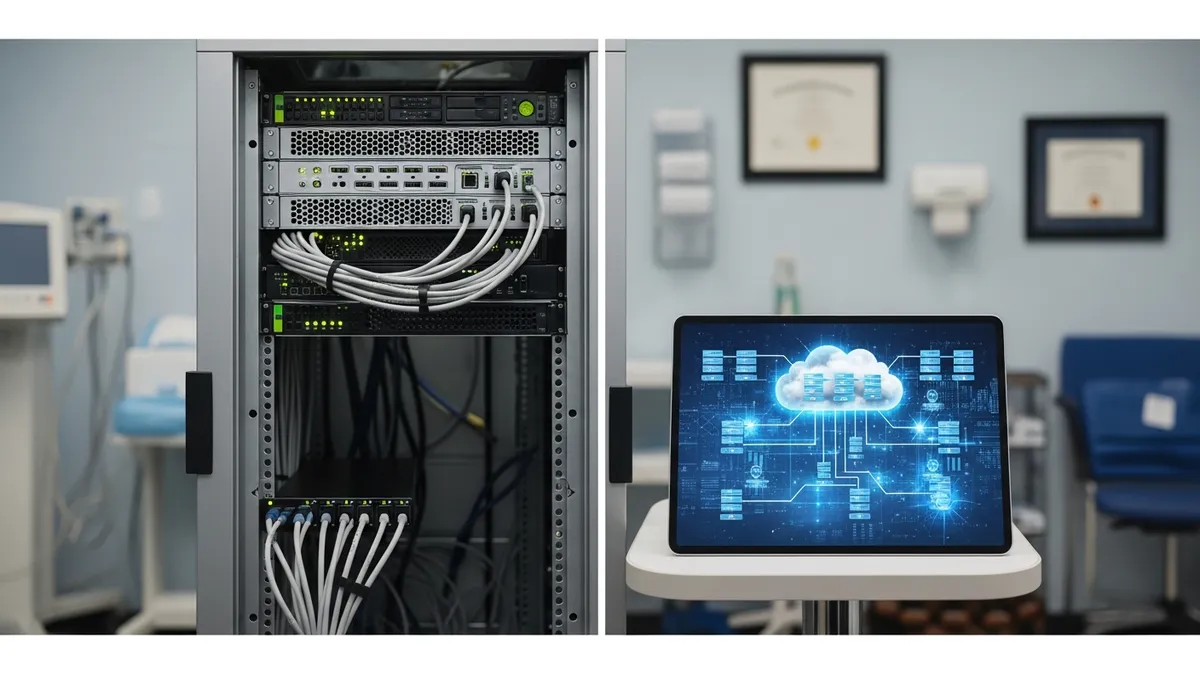
At some point, every practice faces this decision: keep your EHR on servers in your office, or move it to the cloud. The answer isn't the same for everyone — but the trend is overwhelmingly in one direction, and the gap is widening every year.
This isn't just a technology decision. It affects your costs, your disaster recovery, your HIPAA compliance posture, your cybersecurity exposure, and your ability to integrate modern tools like telehealth and AI. It also changes what integration will cost you later. Let's break down what each option actually means, what it costs over five years, and how to decide.
On-premise means you own the servers. They sit in your office — usually a closet, a small server room, or under someone's desk. Your IT team or managed IT provider installs, configures, patches, and maintains everything. You control the hardware, the software, the network, and the data.
You're also responsible when something breaks. Hardware failures, power outages, cooling problems, firmware updates, and software patches all fall on you. If a drive fails on a Friday night, if a pipe bursts above your server closet, or if a power surge takes out your UPS — that's your emergency, your cost, and your downtime.
On-premise doesn't mean isolated. Your EHR still connects to the internet for updates, e-prescribing, lab integrations, and claims submission. Building any of those feeds yourself is EHR integration work — HL7 or FHIR, depending on the system. You still need firewalls, endpoint protection, and network monitoring. "On-premise" means the primary database and application run locally — it doesn't mean offline.
Cloud hosting means your EHR runs on servers owned and managed by a vendor in a professional data center. These facilities have redundant power, cooling, fire suppression, physical security, and multiple internet connections. You access your EHR through a web browser or thin client from any device with internet access.
The vendor handles hardware maintenance, software updates, backups, physical security, and infrastructure scaling. You pay a monthly fee per provider or per user instead of buying equipment. Your data lives off-site but remains yours — governed by your Business Associate Agreement with the vendor.
When hardware fails at the data center, the vendor replaces it. When software needs patching, the vendor does it. Your team focuses on using the system, not maintaining the infrastructure behind it.
The true cost of each model only becomes clear over a multi-year period. Here's what the numbers look like for a typical 5-provider practice with 15 workstations:
On-premise 5-year cost:
Cloud 5-year cost:
The raw numbers look comparable — and for some practice sizes, on-premise is cheaper on paper. But the on-premise number doesn't include unplanned costs: emergency repairs, after-hours support calls, server room cooling when the AC fails in August, and the revenue lost during every outage. Factor in one major incident — a server failure that takes your practice offline for two days — and the on-premise total jumps $30,000-$50,000 in a single event.
Cloud costs are predictable every month. On-premise costs are predictable until they aren't.
This is where most practices get confused. Neither cloud nor on-premise is inherently more secure. Both can be HIPAA-compliant. Neither is compliant by default. The difference is where the security responsibility falls.
On-premise security — it's all on you:
Every item on that list requires expertise and consistent attention. Most small practices without managed IT support handle maybe half of these — and handle them inconsistently.
Cloud security — shared with your vendor:
Cloud doesn't eliminate your security obligations — it reduces the surface area you're responsible for. Your vendor secures the infrastructure. You secure the endpoints, the users, and the network that connects to it. A practice that moves to cloud EHR but doesn't protect its workstations or train its staff has just moved the data to a secure building and left the front door open.
HIPAA compliance applies regardless of where your EHR lives. But the compliance workload shifts between models.
On-premise HIPAA requirements you manage directly:
Cloud HIPAA requirements — shared with vendor:
One critical point: moving to cloud doesn't move your HIPAA liability to your vendor. You remain responsible for your patients' data. If your cloud vendor gets breached because of their negligence, you still have notification obligations and potential regulatory exposure. The BAA provides contractual protection, not regulatory immunity.
This is the comparison category where on-premise has the hardest time competing.
On-premise disaster recovery requires you to build and maintain your own redundancy. That means off-site backup storage, tested recovery procedures, and a plan for what happens when your physical infrastructure is unavailable. Most small practices have backups but haven't tested a full restore. Many have backups stored in the same building as the servers — useless in a fire, flood, or theft.
On-premise recovery time after a server failure: 8-48 hours if backups are good. Days or weeks if they aren't. Recovery time after ransomware: 2-4 weeks average, with forensic investigation required before restoring.
Cloud disaster recovery is built into the hosting model. Major cloud EHR vendors replicate your data across multiple data centers in different geographic regions. If one facility goes down — power failure, natural disaster, hardware failure — another takes over automatically. Recovery time: minutes to hours, not days to weeks.
Cloud vendors also handle backup verification, point-in-time recovery, and data integrity checks as part of their service. You don't need to test backups manually because the vendor's infrastructure is continuously validated.
For small practices without dedicated IT staff, cloud DR is the difference between a practice that reopens the next morning and a practice that cancels two weeks of appointments.
Cloud EHR works from anywhere with internet access — office workstations, home laptops, tablets, even smartphones. Providers can chart from home, review results remotely, and respond to urgent messages without VPN complexity.
On-premise remote access requires VPN configuration, which introduces security complexity. Every remote connection is an attack surface that needs MFA, encryption, and monitoring. During COVID, practices with cloud EHRs were seeing telehealth patients within days. On-premise practices spent weeks configuring secure remote access for providers working from home.
Cloud also enables integration with modern tools that on-premise makes difficult:
If your practice plans to adopt any of these tools in the next 2-3 years, cloud EHR removes the integration barriers that on-premise creates.
This is the one area where on-premise can genuinely outperform cloud. On-premise EHR runs on your local network — clicking through charts feels instant because data doesn't travel to a remote data center and back.
Cloud EHR performance depends entirely on your internet connection. A 100 Mbps symmetrical fiber connection delivers a cloud EHR experience indistinguishable from local. A 25 Mbps cable connection shared with telehealth, digital imaging, and streaming might lag during peak hours. A 10 Mbps DSL connection in a rural area makes cloud EHR frustrating to use.
Before choosing cloud, test your internet under realistic load. Run your normal operations — EHR, imaging, email, web browsing — simultaneously and measure the experience. Better yet, get a dedicated internet circuit for clinical systems separate from your guest and administrative traffic.
If your internet is unreliable — frequent outages, slow speeds, rural infrastructure limitations — on-premise or a hybrid setup may be your only practical option until connectivity improves.
Many practices land somewhere in the middle. Core EHR in the cloud. Local servers for PACS/imaging, on-site backups as a secondary layer, or legacy applications that can't run remotely.
Hybrid gives you cloud benefits for daily operations and local performance where it matters — particularly for imaging-heavy specialties like orthopedics, dermatology, and radiology where large files need fast local access.
Hybrid setups add complexity, though. You need someone who understands both environments, how they connect, and how to secure the junction points. Your IT support plan should account for managing both sides with consistent security policies across local and cloud infrastructure.
If you decide to move from on-premise to cloud, the migration needs planning. A rushed cutover causes downtime, data issues, and staff frustration. Here's the typical phased approach:
Phase 1 — Assessment (2-4 weeks): Audit your current setup. Document what's running on local servers, data volumes, integration points, and customizations. Identify what migrates cleanly and what needs reconfiguration.
Phase 2 — Preparation (2-4 weeks): Set up the cloud environment. Configure user accounts, roles, and permissions. Test integrations with labs, pharmacies, billing, and patient portals. Verify that backup and recovery procedures work in the new environment.
Phase 3 — Data migration: Move historical data — patient records, scheduling history, billing archives. Validate completeness and accuracy. This step cannot be rushed. Missing or corrupted data during migration creates problems for months.
Phase 4 — Parallel operation (1-2 weeks): Run both systems simultaneously. Staff enters data in the cloud while the old system remains available as reference. This catches workflow issues before the old system is decommissioned.
Phase 5 — Cutover and decommission: Shut down on-premise servers. Securely wipe local drives containing ePHI. Document the destruction for HIPAA compliance. Update your risk assessment to reflect the new infrastructure.
A managed IT provider handles this entire process. Your staff keeps seeing patients while the migration happens around their schedule.
If a second clinic is on the horizon, decide this before you sign the lease. Server-based systems are the first thing to break across sites — see IT for multi-location medical practices.
The right answer depends on your practice size, your internet infrastructure, your budget, and your growth plans. We help practices evaluate both options honestly — running the actual numbers, not pushing whatever generates more revenue for us.
Book a consultation and we'll assess your current infrastructure, run the 5-year cost comparison, and recommend the option that actually fits your practice. Or reach out to our team with questions — we'll give you a straight answer.
Ready to take the next step? Explore our healthcare IT services, book a free consultation, or compare our plans.


Managed IT, cybersecurity, HIPAA compliance, and AI automation for healthcare practices. We keep your technology secure so you can focus on patient care.

4MEDNET.COM - Copyright 2026. All rights reserved.


