Cybersecurity: 24/7/365

Cybersecurity: 24/7/365
4MEDNET delivers managed IT, cybersecurity, HIPAA compliance, and AI automation solutions built exclusively for healthcare practices.
Multi-Location Dental · Pasadena, CA



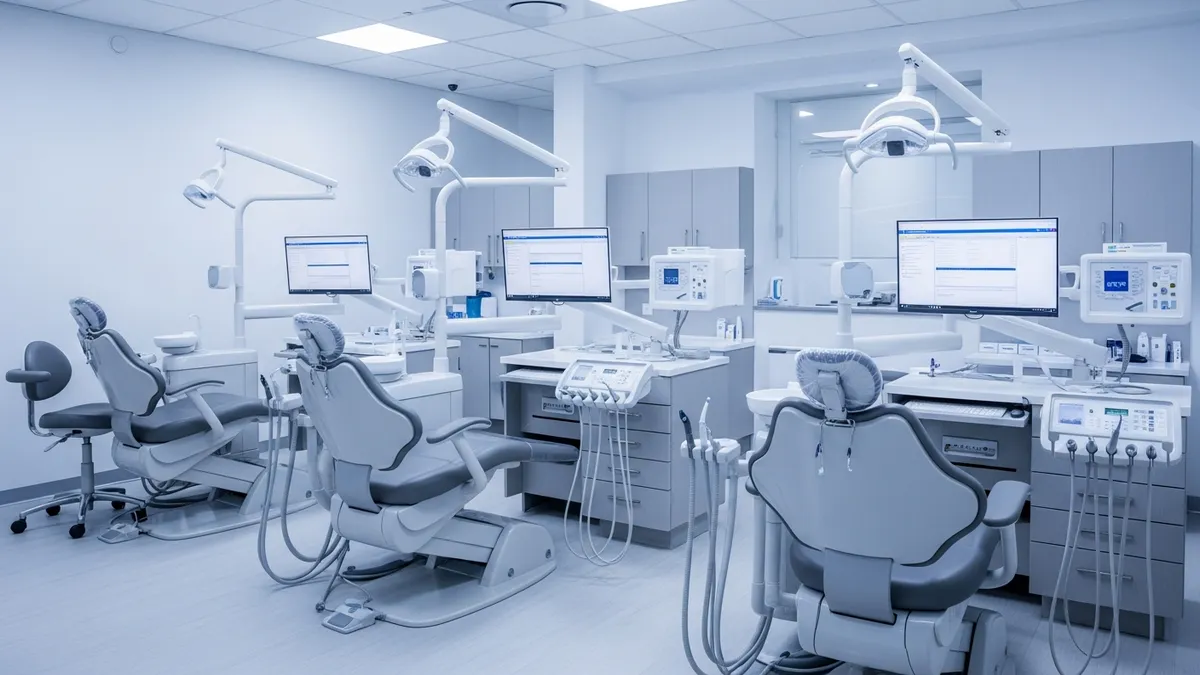
The practice operated three busy offices across Pasadena and the San Gabriel Valley. Between the three locations, they employed 42 people — dentists, hygienists, assistants, front desk staff, and a billing team. On paper, the practice was thriving. Revenue was strong. Patient volume was growing. But behind the scenes, the operation was held together with duct tape.
Each location had been set up by a different person at a different time. The main office ran on an aging Dell server from 2018. The east location used a consumer-grade Wi-Fi router from Best Buy. The west location had a "tech-savvy" dental assistant who handled IT problems between patients.
There was no centralized monitoring, no remote management, and no way to see what was happening across the three sites without physically driving there. When something broke — and it broke often — the practice owner called a break-fix technician who charged $195 per hour and showed up when he could. Sometimes that meant same day. Sometimes it meant Thursday.
In one month alone, their main office lost two full business days to a server crash. The imaging system at the east location went down three times in six weeks. Front desk staff couldn't check patients in. Hygienists couldn't pull X-rays. The billing team fell behind on insurance claims because they couldn't access the practice management system.
The owner estimated the practice lost $8,400 per day in revenue during each outage — empty chairs, rescheduled patients, and staff standing around with nothing to do.
The IT problems were visible. The security problems were invisible — and far more dangerous.
None of the three locations had endpoint detection software. Every workstation ran basic Windows Defender, which hadn't been updated in months on several machines. The east office firewall was a consumer router with the default admin password still active. Two imaging workstations shared a single login — "frontdesk / password123" — that every employee at that location knew.
Staff used personal Gmail accounts to send patient records between offices. No encryption. No audit trail. One employee had forwarded a patient's full treatment plan and insurance details to a personal Yahoo account so she could "work on billing from home."
No one had run a phishing simulation. No one had completed security training. The practice had never experienced a breach — that they knew of — but they had no way of knowing if data had been accessed without authorization.
The practice had a HIPAA compliance binder on a shelf in the main office. It was from 2019. No one had opened it in two years.
There was no current security risk assessment — the single most-cited deficiency in OCR audits. There were no signed Business Associate Agreements with their imaging software vendor, their cloud backup provider, or their billing clearinghouse. Backup systems existed at two locations but had never been tested. The third location had no backup at all.
If a patient had filed a complaint or if the practice had been selected for a random audit, the fines could have reached six figures. HIPAA penalties for willful neglect start at $50,000 per violation.
Beyond the technical problems, the practice's front desk staff were overwhelmed. Each location received 60 to 80 phone calls per day. Patients called to schedule appointments, confirm times, ask about insurance, request records, and check on billing. The two front desk employees at each location couldn't keep up.
Calls went to voicemail. Voicemails piled up. Patients who couldn't get through called back — or didn't. The practice had no after-hours call coverage. Any call that came in after 5 PM or on weekends went unanswered until the next business day.
The owner estimated that 15 to 20 calls per day across the three locations were going unanswered. At an average appointment value of $285, even a fraction of those missed calls turning into missed appointments represented significant lost revenue.
We started with a comprehensive assessment across all three locations. Over five days, our team audited every device, network configuration, software license, user account, backup system, and compliance document. The findings filled a 22-page report.
Here's the short version: the practice had 31 critical vulnerabilities, zero compliance documentation that would survive an audit, and a front desk operation that was leaving money on the table every day.
We built a 90-day remediation plan that addressed everything — IT infrastructure, cybersecurity, HIPAA compliance, and front office operations. We migrated one location at a time so patient care never stopped.
We deployed an AI-powered phone receptionist across all three locations. The system answers every call — during business hours, after hours, weekends, and holidays. It never puts a patient on hold.
The entire rollout — IT, security, compliance, and AI receptionist — was completed in 90 days. Every step followed our managed IT service framework built for healthcare practices. Flat-rate plans for multi-location groups are listed on our pricing page.
Unplanned outages give way to maintenance windows scheduled after hours. Staff stop losing time to IT problems — workstations boot and work, and the imaging system stays up through the clinical day.
The billing team can finally clear claims that had been stuck because nobody could reach the practice management system during an outage. Monthly IT spending becomes predictable: one flat fee covering all three locations, instead of break-fix invoices that spike without warning. The direct saving is usually modest. The real change is that the number stops moving — the owner can budget IT to the dollar, and the fee covers monitoring, security, compliance and a help desk that answers.
The security stack filters malicious email, quarantines malware, and blocks credential-stuffing attempts against the patient portal — none of it reaching a patient record, and none of it costing clinical downtime.
Quarterly phishing simulations move the staff from clicking to reporting. By the end of the first year, suspicious email gets forwarded to the security team as a matter of routine — something that simply did not happen before.
When a compliance review arrives, the documentation package is already assembled: a current risk assessment, signed BAAs for every vendor, staff training records with completion dates, written policies, and backup test logs.
That is the difference between a review that is an administrative exercise and one that becomes a finding. Nothing is reconstructed in a panic, because nothing was left undone.
The AI receptionist answers inbound calls across all three locations, resolving most of them end to end — appointments booked, questions answered, information given. The rest route to the right person with context attached: who is calling, which location, and what they need, before the call connects.
Front desk staff go from spending most of the morning on the phone to a fraction of it, and that time goes back into check-in, insurance verification and treatment plan coordination. Evening and weekend callers reach a booking flow instead of voicemail, which is where a meaningful share of new appointments come from once voicemail is switched off entirely.
Running a multi-location practice with disconnected systems and overwhelmed staff? Book a free consultation and we'll assess your full operation — IT, security, compliance, and front office workflows.
“The imaging system at our east office went down three times in six weeks the year before we switched. It hasn't failed once since. My billing team finally cleared the backlog of insurance claims that had been stuck behind those outages. We used to pay for chaos — now we pay a flat fee and get an actual system.”
Practice Owner — multi-location dental group, Pasadena, CA
We typically complete a full multi-location rollout in 60 to 90 days. We migrate one site at a time so your practice never goes offline during the transition. Each location gets its own go-live date with a dedicated technician on-site. The compliance documentation and AI receptionist deployment happen in parallel so nothing is waiting on anything else.
The AI uses natural language processing and sounds conversational — not robotic. Most patients don't realize it's AI unless they ask. It handles appointment scheduling, answers common questions about office hours, insurance, and directions, and routes complex calls to the right staff member with full context. Practices that deploy it typically see patient satisfaction scores go up, not down.
Yes. We support every major dental practice management system including Dentrix, Eaglesoft, Open Dental, and Curve. Our team tests compatibility during the assessment phase before we touch anything in production. The AI receptionist integrates with your scheduling system for real-time appointment booking.
Our monitoring runs 24/7/365. If a server goes down at 2 AM, our team gets alerted and starts working on it immediately. Most issues get resolved before your staff arrives in the morning. For critical problems, we have on-site technicians available within 4 hours. Meanwhile, the AI receptionist keeps answering patient calls regardless of what's happening with your internal systems.

Managed IT, cybersecurity, HIPAA compliance, and AI automation for healthcare practices. We keep your technology secure so you can focus on patient care.

4MEDNET.COM - Copyright 2026. All rights reserved.


