Cybersecurity: 24/7/365

Cybersecurity: 24/7/365
4MEDNET delivers managed IT, cybersecurity, HIPAA compliance, and AI automation solutions built exclusively for healthcare practices.



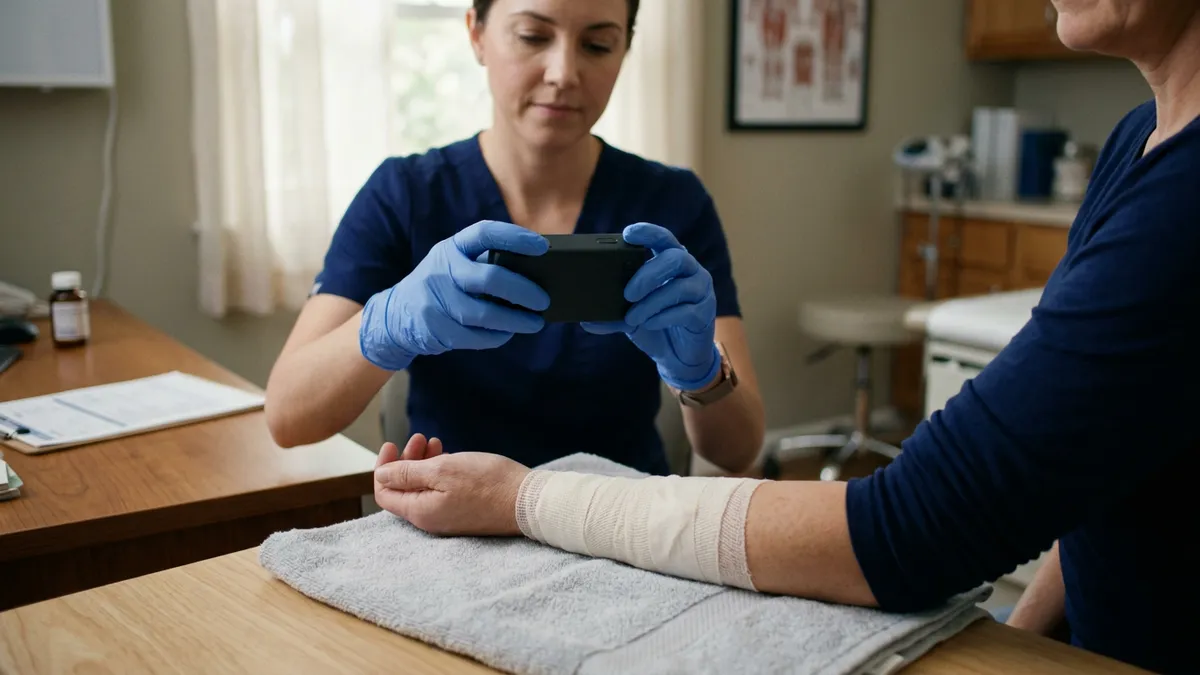
A medical assistant photographs a patient's insurance card, then types every field into the practice management system. Down the hall, a nurse photographs a wound on their own phone to show the doctor. At the front desk, a stack of faxed referrals waits to be sorted.
All three are images, and all three are jobs that computer vision can now take on. For a small practice, that is the useful way to think about AI image processing. It is not futuristic radiology. It is a set of specific, ordinary tasks where software reads a picture so a person does not have to.
Computer vision is the branch of artificial intelligence that lets software interpret images. Modern systems use machine learning, usually deep learning models trained on large sets of labeled examples. The algorithm learns to recognize what an image contains, from a printed field to the outline of a tooth.
In healthcare that covers two very different kinds of work. One is reading documents and objects: a fax, an ID card, a barcode. The other is interpreting medical imaging: an X-ray, a scan, a photo of a lesion. The first is administrative. The second is clinical, and it comes with FDA rules.
That split decides almost everything below, from cost to regulation. Our guide to where the FDA line is for custom AI covers it in detail.
Referrals, lab results and records requests still arrive as images. An AI system reads each one, works out what it is, pulls out the patient details and files it to the right chart, with staff reviewing anything uncertain. It is administrative software, so no FDA review applies. Our guide to AI fax and referral processing covers how to buy or build it.
Check-in tools can read a photo of an insurance card or driver's license and fill the registration fields automatically. It removes retyping and the errors that come with it, such as a mistyped member ID that comes back as a denied claim. Many practice management and intake products include it already, so check before you build anything. It pairs naturally with automated patient intake.
This is the most mature clinical use within reach of a small practice. FDA-cleared products mark possible caries, bone loss and other findings on radiographs for the dentist to review. Our guide to dental AI x-ray analysis covers what the clearances mean and what to ask vendors.
Here the split between documenting and interpreting matters most. Software that captures standardized photos, stores them in the chart and lines up images from each visit is a records tool. Software that measures a wound and judges whether it is healing, or assesses a lesion, is interpreting a medical image.
Start with the documentation side, which carries no FDA question and solves a real privacy problem, covered below. Treat interpretation as device territory and get advice before building it.
A phone camera can read barcodes on vaccines, implants and injectables, capturing the lot number and expiry date without typing. It turns a recall notice into a search instead of a hunt through boxes. Our guide to custom tools small practices build includes a simple inventory and lot tracker.
Each use has a usual route and a regulatory status. Start at the top of this table; the further down you go, the more planning the deployment needs.
| Use | Usual route | FDA status |
|---|---|---|
| Insurance card and ID capture | Configure: often a feature of your intake or practice management software | Not a device |
| Faxes and scanned documents | Buy, or build when no product fits your EHR | Not a device |
| Inventory barcode capture | Buy, or a small custom tool | Not a device |
| Wound and skin photo documentation | Buy, or build a capture tool into the chart | Documenting: not a device. Interpreting: likely a device |
| Dental x-ray analysis | Buy an FDA-cleared product | A device, cleared for specific uses |
The pattern is consistent. The administrative uses are where a small practice gets value fastest, with the least risk. Medical image analysis is worth buying from vendors who have done the regulatory work, rather than building.
Clinical photos taken on personal phones are a quiet HIPAA risk that is easy to miss. The image sits in a personal camera roll, often backed up to a consumer cloud account, long after the visit.
A proper capture tool fixes that. Photos go straight into the chart, never touch the camera roll, and are protected by the same access controls and audit trail as the rest of the record. If staff use their own devices for any of this, our guide to BYOD policy for medical practices covers the rules you need.
Our guide to whether AI is HIPAA compliant covers how to judge vendors' answers on the data questions.
Pick the image task your staff repeat most. That is often the fax queue or insurance card entry, both administrative and both quick to pilot. Run it with full review for a few weeks, measure the time it saves, and only then move to clinical uses.
The aim is not to transform the practice with computer vision. It is to take specific, repetitive image work off people who have better things to do, and to boost accuracy while you do it.
Our AI automation services set up the off-the-shelf tools, and our custom healthcare software practice builds image workflows where no product fits.
Ready to take the next step? Explore our healthcare IT services, book a free consultation, or compare our plans.




Managed IT, cybersecurity, HIPAA compliance, and AI automation for healthcare practices. We keep your technology secure so you can focus on patient care.

4MEDNET.COM - Copyright 2026. All rights reserved.